Best Conversation Intelligence Software: 7 Tools and What They Cost


On this page
Here is the part the vendor pages leave out: on most conversation intelligence platforms, the feature you came for is not in the plan you were quoted.
HubSpot puts it in Sales Hub Enterprise, at $150 per user per month. Salesloft gates call analysis behind its Advanced and Premier tiers. Gong charges a platform fee of roughly $5,000 a year before you pay for a single seat, then bills around $1,600 per user annually on top.
And then Fireflies will sell you transcription and call search for $10 a seat.
That spread is not a quality gap of the same size. It is a packaging decision, and knowing which side of it you need is most of the buying decision. So this compares seven tools on what they cost and what you actually get, rather than on feature checklists that all look identical.
Quick Answer
The right pick depends almost entirely on team size and whether you already own the CRM:
- Large sales org with budget: Gong, if you can absorb the platform fee
- Already on HubSpot Enterprise: use what you are paying for, do not buy twice
- Small team that just needs transcripts and search: Fireflies or ScreenApp
- Call centre with a phone system to run: CloudTalk, where CI is a €9 add-on
Pricing below was checked in July 2026. Quote-based vendors change terms often, so confirm before you sign.
What It Really Costs
Every vendor on this list will tell you they do transcription, sentiment analysis, and coaching. They all do. What separates them is the bill, and the bill is rarely one number.
| Tool | Entry cost | Platform fee | Where CI actually sits |
|---|---|---|---|
| ScreenApp | Free tier, then $19/mo | None | Included from the start |
| Fireflies | From $10/seat/mo annually | None | Core product |
| CloudTalk | From €19/user/mo | None | €9/user/mo add-on |
| HubSpot | $150/user/mo billed yearly | None | Sales Hub Enterprise only |
| Salesloft | From about $125/user/mo | Quote based | Advanced and Premier tiers |
| Gong | About $1,600/user/year | About $5,000/year | The whole product |
| Phonexa | Quote based | Quote based | Bundled in the suite |
Run the arithmetic on a ten-person sales team and the gap stops being abstract. Fireflies is $1,200 a year. Gong is roughly $21,000 once the platform fee is in. That is not a rounding difference, and it is why “which is best” is the wrong question to open with.
Gong earns its price for organisations where call coaching is a formal process with managers who live in the tool. For a five-person team that mostly wants to find what a customer said three weeks ago, it is an expensive way to buy search.
What These Tools Do
Strip the marketing and there are four jobs underneath: record the call, transcribe it, find things in the transcript, and surface patterns across many calls. The last one is where the money is, and where the tools genuinely differ.
Recording and transcription are close to commodities now. Every tool here does them, accuracy is broadly similar on clear audio, and none of them handle heavy crosstalk well. If a vendor leads with transcription accuracy, they are selling you the easy part.
Pattern-finding is the real product: which objections come up before a deal stalls, which reps talk 70% of the time, which competitor gets named most often this quarter. That is what turns recordings into something you act on, and it is why teams extract actionable insights from calls rather than just archiving them.
For contact centres the emphasis shifts toward quality assurance, where these tools support call centre monitoring practices: tracking compliance, scoring call quality, and keeping consistency across agents. Sales teams pairing analysis with coaching scheduling software get more out of it than teams that only review calls when a deal is already lost, and larger rollouts often bring in an integration partner such as Scalo to connect the tool to systems that were not designed to talk to it.
One honest warning before you buy anything. These tools produce a lot of data and most teams look at very little of it. If nobody owns the habit of reviewing calls weekly, the platform becomes an expensive recorder. Buy the cheap tier first and prove the habit exists.
How We Picked
Feature lists were the least useful thing to compare here, because every vendor ships the same four capabilities. These are the questions that actually changed the ranking.

The single biggest cost driver, and the one buyers miss. HubSpot puts it in Enterprise. Salesloft puts it behind Advanced. If you are quoted a Professional plan and expect call analysis, check before you sign, because the upgrade is usually a bigger jump than the seat count suggests.
Gong has one, at roughly $5,000 a year. On a small team that fee alone can exceed what a competitor charges for the entire deployment, which is why per-seat comparisons mislead below about twenty users.
A tool that cannot see your calls is useless regardless of how good its analysis is. If your calls run through a dialler or contact centre platform, that constraint decides the shortlist before anything else does. Planning CI around your telephony stack is worth doing first, and reviewing Quo and RingCentral compared helps weigh call quality, messaging, and CRM integrations against how well conversation intelligence will actually support your workflows.
Adoption is the hidden variable. A cheap tool people use beats an expensive one nobody logs into, and most failed rollouts I have seen were adoption failures rather than product failures.
Ramping new reps faster, catching churn signals earlier, and QA-ing a support queue are three different problems that favour three different tools. Teams handling high inbound volume may also need an answering service in the stack, and some will find that generative AI development services fit their workflow better than any off-the-shelf platform.
If you are weighing this against general-purpose meeting tools rather than sales-specific ones, the comparison of AI meeting notetakers covers that side, and the roundup of AI call assistants for small business is a better fit for teams under ten people.
The 7 Tools Compared
1. ScreenApp
Best for Comprehensive Analysis and Real-Time Insights
ScreenApp records calls and meetings, transcribes them, and makes the archive searchable, without a platform fee or a minimum seat count. It is the lighter end of this list: strong on capture, transcripts, and finding what was said, lighter on the formal coaching workflows Gong builds its price around. Useful pieces here are the AI call summarizer for a quick read on a call you missed, the AI summarizer for longer recordings, and audio to text conversion when you just need the transcript.
Screen Recording
Capture and record conversations for in-depth analysis.
Video Transcription
Convert audio and video recordings into text for easy search and review.
Search and Summarization
Quickly locate relevant information within conversations using advanced search capabilities.
AI-powered Coaching
Identify areas for improvement and receive personalized coaching suggestions.
Pros
Cons
Overall Assessment
ScreenApp Conversation Intelligence stands as a valuable tool for businesses seeking to optimize their sales and customer service interactions. Its comprehensive analysis, actionable insights, and real-time feedback capabilities empower teams to identify areas for improvement, enhance their performance, and ultimately achieve their business objectives. While some customization and integration limitations may exist, the platform's overall benefits far outweigh these drawbacks.
2. HubSpot
Best for HubSpot CRM Integration
Harness the power of artificial intelligence (AI) to transform your sales and customer service interactions with HubSpot Conversation Intelligence. This integrated solution seamlessly blends with the HubSpot CRM platform.
Key Features:
Pros
Cons
Overall Assessment
HubSpot Conversation Intelligence is a valuable tool for sales and customer service teams that seek to elevate their interactions and achieve better results. Its comprehensive features, real-time coaching, and seamless integration with HubSpot CRM make it a powerful addition to any organization's sales and customer service toolkit. However, if you're exploring an affordable HubSpot alternative, there are several other powerful CRM options for different industries like automotive CRM, retail CRM, banking CRM etc. for available that can offer similar capabilities. Also check some Hubspot alternatives here.
Ideal Use Cases: Perfect for sales and customer service teams already using HubSpot CRM, and businesses seeking real-time interaction insights.
3. Salesloft
Best for Sales Training and Coaching
SalesLoft's conversation intelligence solution empowers sales teams to optimize their performance and achieve breakthrough results. It provides a comprehensive suite of features that transform sales conversations into actionable insights.
Key Features:
Pros
Cons
Overall Assessment
SalesLoft's conversation intelligence solution is a powerful tool for sales teams that are committed to continuous improvement and achieving peak performance. Its comprehensive features and customizable evaluation forms make it an ideal platform for sales training, coaching, and performance analysis.
Ideal Use Cases: Best for sales-driven organizations focusing on improving their sales calls and training their sales teams.
4. Gong
Best for AI-Powered Sales Intelligence
Gong provides a holistic view of customer interactions, enabling sales professionals to identify winning strategies and refine their approach for enhanced results.
Key Features:
Pros
Cons
Overall Assessment
Gong's conversation intelligence platform stands out as a powerful tool for sales teams seeking to enhance their performance and drive business growth. Its AI-driven insights, coupled with its comprehensive feature set, provide a valuable resource for sales professionals of all levels. While the initial learning curve and pricing may pose minor hurdles, the long-term benefits of Gong's capabilities far outweigh these considerations. For businesses committed to sales excellence, Gong emerges as a worthwhile investment, empowering teams to achieve their full potential.
5. Fireflies
Best for Video Conferencing Integration
Fireflies Conversation Intelligence is an AI-powered platform that automatically records, transcribes, and analyzes your team's conversations, providing valuable insights to improve communication, productivity, and decision-making. It seamlessly integrates with popular video conferencing platforms like Zoom, Google Meet, and Microsoft Teams.
Key Features:
Pros
Cons
Overall Assessment
Fireflies Conversation Intelligence is a powerful tool that can significantly improve communication, productivity, and decision-making within organizations. Its real-time transcription, actionable insights, and searchable knowledge base provide valuable support for teams of all sizes. However, organizations should consider the platform's limitations in integrations, customization, and pricing before making a decision.
6. Phonexa
Best for Call Intelligence Ecosystem
Phonexa is an all-encompassing call intelligence ecosystem that effectively synergizes business phone calls, Call Logic and Cloud PBX products - with web lead management. Phonexa covers your entire marketing from top to bottom, allowing you to generate more call and web leads and successfully drive them to a conversion.
Key Features:
Pros
Cons
Overall Assessment
Phonexa is a great all-employing software suite for marketers willing to automate and improve their online campaigns. With Phonexa, you can save tons of time, money, and effort while still being in the driver's seat of all your campaigns.
7. CloudTalk
Best for Voice-Based Call Intelligence
CloudTalk Conversation Intelligence helps sales and customer support teams analyze voice interactions and turn conversations into meaningful business insights. Built as a cloud-based call center platform with AI-driven analytics, CloudTalk enables teams to record, review, and optimize calls while maintaining full visibility into customer communication.
Key Features:
Pros
Cons
Overall Assessment
CloudTalk Conversation Intelligence is a reliable solution for organizations looking to gain actionable insights from customer calls and improve sales and support performance. Its AI-powered analytics, automation features, and deep integrations make it a strong choice for teams that view voice communication as a critical revenue and service channel. When comparing cloud-based call center platforms, customer reviews like this Nextiva review help you weigh alternative unified communications options before you commit.
Ideal Use Cases: Best for sales and customer support teams that rely on phone conversations and need actionable insights, performance tracking, and CRM-connected call intelligence in a scalable cloud environment.
Matching Tool to Team
Team size changes the answer more than industry does, which is the opposite of how most buying guides frame it.
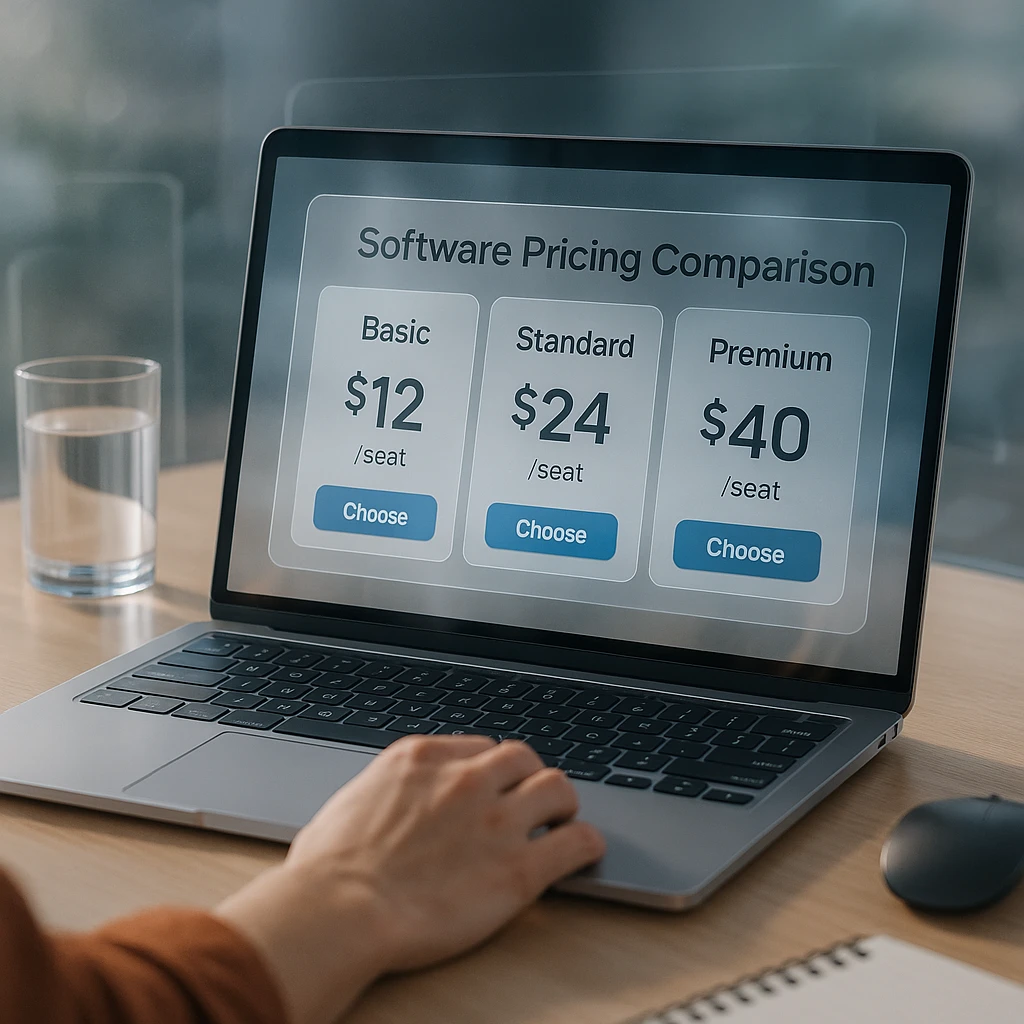
Under ten reps, the platform fee decides it. Gong’s $5,000 base is more than a small team’s entire annual spend on a lighter tool, and you are unlikely to use the coaching workflows that justify it. Fireflies or ScreenApp will cover recording, transcripts, and search, and you can move up later once call review is an actual habit rather than an intention.
Ten to fifty reps is the genuinely contested range. This is where Gong and Salesloft start to pay off, because you now have enough calls for pattern-finding to mean something and usually a manager whose job includes coaching. It is also where the CRM you already own matters most: if you are on HubSpot Enterprise, you have conversation intelligence already and buying a second tool is paying twice for the same recordings.
Above fifty reps the question stops being price and becomes workflow. At that size the tool has to fit the systems around it, which means integrations with CRM platforms like Salesforce, your dialler, and whatever your RevOps team has built on top. A tool that analyses calls beautifully but cannot write back to the CRM creates work rather than removing it.
Contact centres are their own case. The priority shifts from deal insight to quality assurance and compliance, volumes are far higher, and the phone system usually dictates the choice. That is why CloudTalk suits this shape and Gong generally does not.
Security and Compliance
Conversation data is some of the most sensitive material a company holds. Recordings capture pricing, personnel matters, health details, and complaints, often without the customer thinking about it that way.
Three things are worth confirming before signing, and vendor marketing pages rarely make them easy to find. Where recordings are stored, and whether you can pick the region: this is not optional if you handle EU customer data. How long recordings are kept by default, and whether you can shorten that. Whether your recordings are used to train the vendor’s models, and how you opt out.
Consent is the part teams get wrong. Recording rules vary by country and by state, some require all parties to agree rather than just one, and “the tool announces it” is not always enough. Sort this with whoever handles legal before the rollout, not after a customer objects.
All the major platforms here run SOC 2 and support SSO, encryption in transit and at rest, and GDPR and CCPA workflows. That is table stakes now rather than a differentiator, though it is still worth checking the certification is current rather than claimed. If you are evaluating the wider stack, a review of data privacy and security features is a reasonable place to start, and the write-up on AI notetaker privacy risks covers the failure modes specific to meeting recording.
What I Would Actually Do
Start on the cheapest tier that records and transcribes, and run it for a quarter. The question you are answering is not which tool is best, it is whether anyone on your team will open call recordings without being chased. Most teams find out the answer is no, and that is much cheaper to learn at $10 a seat than at $21,000 a year.
If call review does become a habit, the upgrade case writes itself and you will know exactly which capability you are missing. If it does not, you have lost a few hundred dollars instead of signing a multi-year contract for a very expensive archive.
The one exception: if you already pay for HubSpot Sales Hub Enterprise or a Salesloft tier that includes it, turn it on this week. You are already paying for it.
FAQ
What is the cheapest conversation intelligence software?
Fireflies starts around $10 per seat per month billed annually, and ScreenApp has a free tier before its $19 per month plan. CloudTalk sells conversation intelligence as a €9 per user add-on on top of a phone plan.
How much does Gong cost?
Roughly $1,600 per user per year, plus a platform fee of about $5,000 annually. For a ten-person team that lands near $21,000 a year. Gong does not publish pricing, so treat these as reported figures and get a quote.
Is conversation intelligence included in HubSpot?
Only in Sales Hub Enterprise, at $150 per user per month billed yearly. Lower HubSpot tiers do not include call analysis, which catches out a lot of buyers who assume it comes with Professional.
Does Salesloft include call recording analysis?
Not on the entry tier. Conversation intelligence sits in the Advanced and Premier packages, so the effective price is higher than the roughly $125 per user per month starting figure suggests.
Do I need conversation intelligence if I already record calls?
Recording is the easy part and nearly free. The reason to pay is pattern-finding across many calls, spotting which objections precede lost deals or which reps dominate the talking. If you only ever need to re-listen to one call, a recorder and a transcript will do.
How accurate is the transcription?
Broadly similar across these tools on clear audio. All of them degrade on heavy crosstalk, strong accents, and poor phone lines. Treat vendor accuracy percentages sceptically, since they are measured on clean recordings that do not resemble a real sales call.
Is it legal to record customer calls?
It depends on where you and the customer are. Some places need consent from every party, others only one. Announcing the recording is common practice but is not universally sufficient. Check with legal before rolling it out.
Can these tools analyse video meetings as well as phone calls?
Most handle both, though the emphasis differs. Gong and Salesloft are built around sales calls, Fireflies and ScreenApp lean toward meetings, and CloudTalk is phone-first. Match this to where your conversations actually happen.
What happens to my recordings if I cancel?
This varies and is worth asking before you buy. Some vendors give you an export window, others make bulk export deliberately awkward. Ask specifically how you get transcripts and recordings out in bulk.
Is a cheaper tool good enough for a small sales team?
For most teams under ten reps, yes. The expensive platforms earn their price through coaching workflows and cross-call analytics that need volume and a dedicated manager to be worth anything. Without those, you are paying for capacity you will not use.
FAQ
What is the cheapest conversation intelligence software?
Fireflies starts around $10 per seat per month billed annually, and ScreenApp has a free tier before its $19 per month plan. CloudTalk sells conversation intelligence as a €9 per user add-on on top of a phone plan.
How much does Gong cost?
Roughly $1,600 per user per year, plus a platform fee of about $5,000 annually. For a ten-person team that lands near $21,000 a year. Gong does not publish pricing, so treat these as reported figures and get a quote.
Is conversation intelligence included in HubSpot?
Only in Sales Hub Enterprise, at $150 per user per month billed yearly. Lower HubSpot tiers do not include call analysis, which catches out a lot of buyers who assume it comes with Professional.
Does Salesloft include call recording analysis?
Not on the entry tier. Conversation intelligence sits in the Advanced and Premier packages, so the effective price is higher than the roughly $125 per user per month starting figure suggests.
Do I need conversation intelligence if I already record calls?
Recording is the easy part and nearly free. The reason to pay is pattern-finding across many calls, spotting which objections precede lost deals or which reps dominate the talking. If you only ever need to re-listen to one call, a recorder and a transcript will do.
How accurate is the transcription?
Broadly similar across these tools on clear audio. All of them degrade on heavy crosstalk, strong accents, and poor phone lines. Treat vendor accuracy percentages sceptically, since they are measured on clean recordings that do not resemble a real sales call.
Is it legal to record customer calls?
It depends on where you and the customer are. Some places need consent from every party, others only one. Announcing the recording is common practice but is not universally sufficient. Check with legal before rolling it out.
Can these tools analyse video meetings as well as phone calls?
Most handle both, though the emphasis differs. Gong and Salesloft are built around sales calls, Fireflies and ScreenApp lean toward meetings, and CloudTalk is phone-first. Match this to where your conversations actually happen.
What happens to my recordings if I cancel?
This varies and is worth asking before you buy. Some vendors give you an export window, others make bulk export deliberately awkward. Ask specifically how you get transcripts and recordings out in bulk.
Is a cheaper tool good enough for a small sales team?
For most teams under ten reps, yes. The expensive platforms earn their price through coaching workflows and cross-call analytics that need volume and a dedicated manager to be worth anything. Without those, you are paying for capacity you will not use.