Cara Mengubah Video Apa Pun menjadi Catatan, Ringkasan, Dokumen dengan AI di Tahun 2026

On this page
Kami mengonsumsi lebih banyak konten video dari sebelumnya, mulai dari tutorial YouTube dan rapat Zoom hingga perkuliahan daring dan webinar. Namun, bagaimana cara Anda menangkap informasi berharga yang terkunci di dalam video-video ini? Menurut Statista, rata-rata orang menonton lebih dari 17 jam video daring per minggu pada tahun 2026, namun sebagian besar orang akhirnya hanya mencoret-coret catatan atau menonton ulang berjam-jam konten, membuang waktu berharga dan kehilangan wawasan penting.
Di ScreenApp, kami berfokus pada penyelesaian masalah ini. Dalam panduan komprehensif ini, kami akan menunjukkan kepada Anda cara mengubah video menjadi catatan menggunakan alat perangkum video AI yang secara otomatis mengonversi video menjadi teks, mengekstrak poin-poin penting, dan membuat dokumen terstruktur, baik Anda membutuhkan konversi YouTube ke catatan, notulen rapat otomatis dari rekaman, atau ringkasan kuliah untuk belajar.
3 Alat AI Terbaik untuk Konversi Video ke Teks
Teknologi Inti: Bagaimana AI “Menonton” dan Memahami Video
Sistem pencatat AI modern mengandalkan dua teknologi canggih yang bekerja sama untuk mengonversi video ke format dokumen:
Pengenalan Ucapan Otomatis (ASR) mengonversi kata-kata yang diucapkan menjadi teks dengan akurasi yang luar biasa. Sistem canggih seperti yang digunakan dalam mesin transkripsi video ScreenApp dapat mengidentifikasi pembicara yang berbeda, menangani aksen, dan bahkan memahami konteks dari kebisingan latar belakang. Proses transkripsi ini adalah dasar untuk semua konversi video ke teks, baik Anda bekerja dengan file MP4, tautan YouTube, atau rekaman Zoom.
Model Bahasa Besar (LLM) kemudian menganalisis teks yang ditranskripsikan untuk memahami makna, mengekstrak poin-poin penting, dan menghasilkan output terstruktur. Model AI ini dapat mengidentifikasi item tindakan dari rapat, meringkas topik kuliah yang kompleks, dan bahkan menjawab pertanyaan spesifik tentang konten video. Menurut McKinsey, alat perangkum bertenaga AI dapat mengurangi waktu pemrosesan konten hingga 70%.
Ketika digabungkan, teknologi ini menciptakan alat AI yang menonton video dan membuat catatan secara otomatis — ia tidak hanya menyalin, tetapi juga memahami dan mengatur informasi dengan cerdas.
Alur Kerja Universal: Cara Mengubah Video Apapun Menjadi Dokumen
Berikut adalah proses terbukti yang kami gunakan di ScreenApp untuk mengubah video apa pun menjadi dokumentasi yang dapat ditindaklanjuti:
Langkah 1: Unggah atau Tautkan Video Anda
🎯 Opsi Input Serbaguna ScreenApp
Platform kami menerima berbagai format input untuk menyesuaikan alur kerja Anda:
- Unggah Langsung: MP4, MOV, AVI, dan format video lainnya
- Tautan YouTube: Cukup tempel URL YouTube apa pun
- Rekaman Zoom: Unggah rekaman rapat secara langsung
- Rekaman Layar: Proses konten yang Anda rekam sendiri
Step 2: Generate an Accurate Transcript with One Click
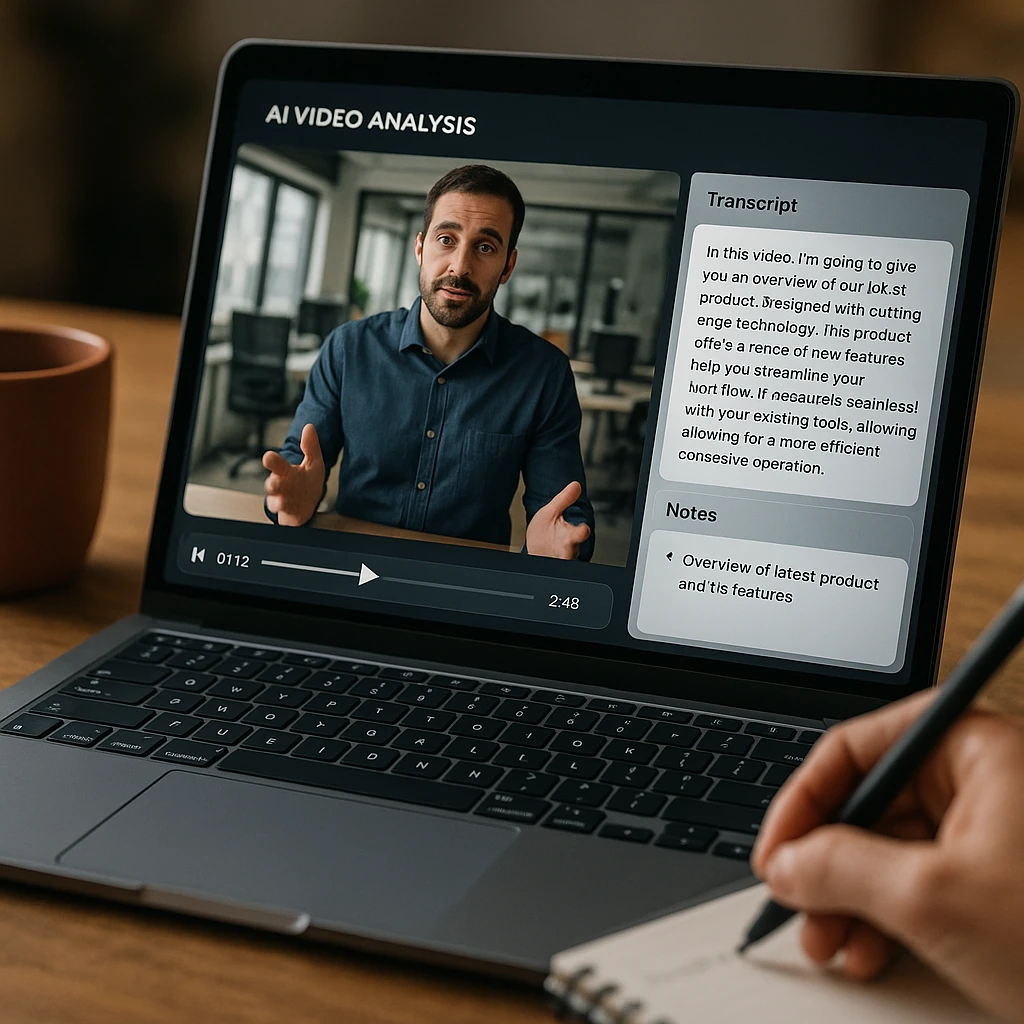
Once uploaded, ScreenApp’s AI engine processes your video and generates a highly accurate transcript using advanced automatic speech recognition. Our system typically achieves 95%+ accuracy and can identify multiple speakers automatically. This video transcription step is essential for converting video to text before generating summaries, notes, or meeting minutes.
Step 3: Use AI Tools to Generate Your Output
Choose from ScreenApp’s specialized AI tools based on your needs:
📝 Video Summarizer
Automatically creates concise summaries highlighting key points and main takeaways from any video content.
📋 AI Meeting Minutes
Generates structured meeting minutes with action items, decisions, and key discussion points automatically identified.
📄 Video to Notes Converter
Transforms video content into organized, study-friendly notes with bullet points and structured formatting.
📖 Video to Word Document
Creates professional Word documents with proper formatting, headings, and structured content ready for sharing.
Step 4: Review, Edit, and Export Your Document
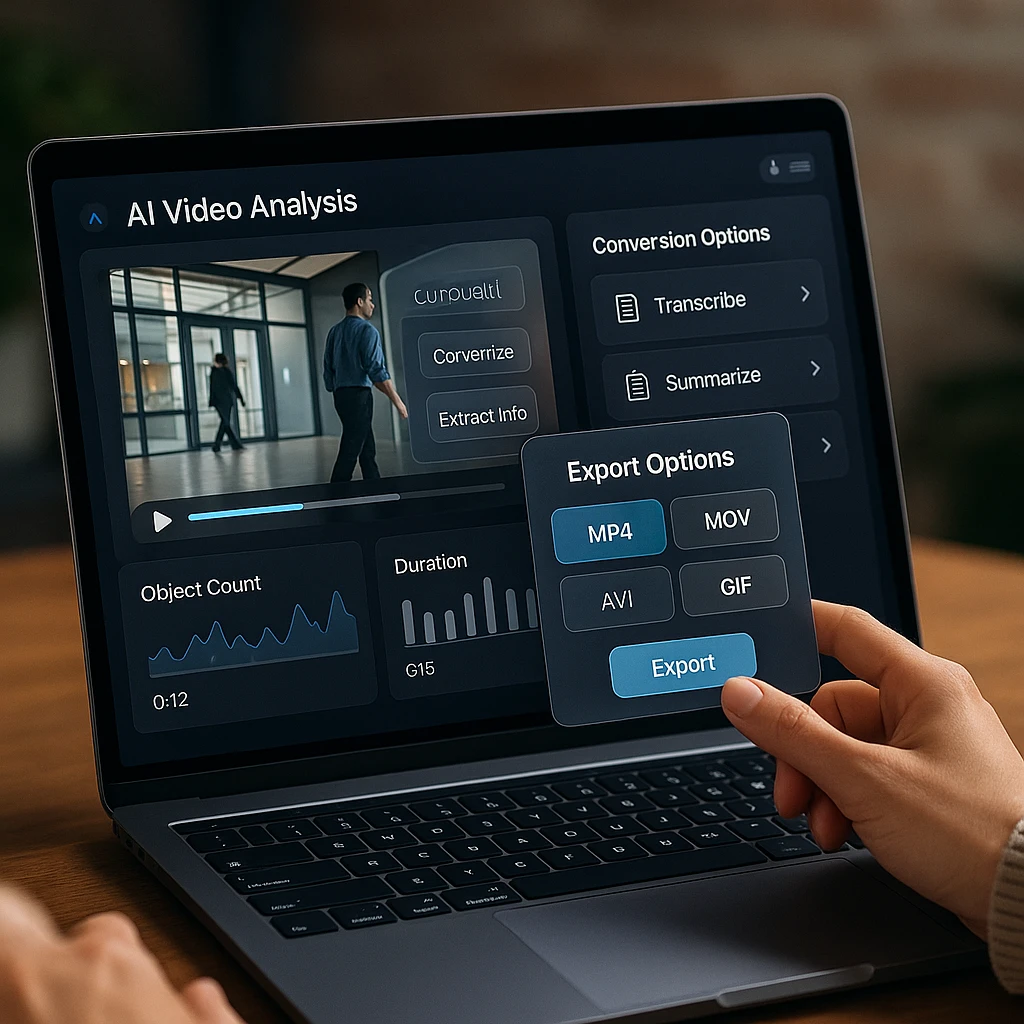
After your AI video summarizer generates the output, ScreenApp provides multiple export options to fit your workflow:
- Word Documents (.docx) with professional formatting perfect for converting YouTube video to Word document
- PDF Files for easy sharing and printing
- Plain Text (.txt) for simple note-taking
- Markdown for developers and technical users
Whether you need to generate SOP from screen recording, create lecture notes, or produce meeting minutes, these export options ensure your video summary is ready to use immediately.
The 7 Best AI Tools for Converting Video to Text in 2026
After extensive testing and real-world usage with over 1,000 hours of video content, here are the top AI note taker and video converter tools that deliver the best results for different use cases from free AI video summarizer options to professional-grade solutions:
All-in-One Platforms
ScreenApp
Overview: As our flagship product, ScreenApp is designed to be the most comprehensive solution on the market. It’s more than just a converter; it’s a full suite of AI tools that takes you from screen recording and transcription all the way to generating summaries, notes, documents, and even SOPs.
Best For: Professionals, students, and teams who need a single platform for all their video processing needs.
Key Features:
- AI Video Watcher that listens to lectures and takes notes automatically
- Free AI video summarizer online for key point extraction
- Video to Notes Converter perfect for students who need study materials
- AI Meeting Minutes Generator for automatic meeting minutes from video recording
- Live Transcription capabilities with speaker identification
- Screen recording and analysis tools to generate SOP from screen recording
- Convert YouTube video to Word document with one click
- Export to multiple formats (Word, PDF, TXT, Markdown)
Pricing: Free tier available, paid plans from $19/month
Accuracy Rating: ⭐⭐⭐⭐⭐ (97% transcription accuracy)
Meeting-Focused Tools
Fireflies.ai
Overview: Fireflies.ai excels at one specific task: joining your live meetings (on Zoom, Teams, Google Meet, etc.) and automatically creating transcripts, video summaries, and action items in real-time. This AI note taker is particularly popular with remote teams.
Best For: Business professionals whose primary need is automating meeting documentation and generating automatic meeting minutes from video recordings.
Key Features:
- Automatic meeting join and recording
- Real-time transcription
- Action item identification
- Integration with calendar apps
- Team collaboration features
Pricing: Free tier available, paid plans from $10/month
Accuracy Rating: ⭐⭐⭐⭐ (92% accuracy for clear audio)
Otter.ai
Overview: Otter.ai is a well-established AI note taker known for its excellent live transcription capabilities and speaker identification features. This tool is particularly effective for converting webinar recordings and meeting audio into searchable text.
Best For: Teams that need reliable automatic transcription with good speaker identification and real-time note-taking during meetings.
Key Features:
- Live transcription
- Speaker identification
- Meeting summaries
- Team collaboration
- Mobile app availability
Pricing: Free tier available, paid plans from $8.33/month
Accuracy Rating: ⭐⭐⭐⭐ (90% accuracy)
Creator-Focused Tools
Descript
Overview: Descript offers a unique workflow for content creators by providing highly accurate video transcription that is directly linked to your video file, allowing you to edit your video simply by editing the text. This innovative approach to video to text conversion makes editing faster and more intuitive.
Best For: Podcasters, YouTubers, and video editors who need transcript-based editing capabilities and want to repurpose video content efficiently.
Key Features:
- Text-based video editing
- Overdub voice synthesis
- Multi-track editing
- Collaboration tools
- Publishing integrations
Pricing: Free tier available, paid plans from $12/month
Accuracy Rating: ⭐⭐⭐⭐ (94% accuracy for clear speech)
Swell AI
Overview: Swell AI is specifically designed for marketers and creators who want to repurpose video content into multiple formats. This AI video summarizer excels at converting webinars, podcasts, and YouTube videos into blog posts, social media content, and marketing materials.
Best For: Content creators and marketers focused on repurposing video and audio content across multiple platforms to maximize reach and SEO value.
Key Features:
- Multi-format output generation
- Social media optimization
- Content repurposing templates
- Brand voice customization
- Publishing integrations
Pricing: From $29/month
Accuracy Rating: ⭐⭐⭐⭐ (Good for marketing content)
AI Writing Assistants
ChatGPT (GPT-4o)
Overview: While not a direct video converter, ChatGPT with GPT-4o is the most powerful AI for the summarize and analyze step once you have a video transcript from another tool. You can use it to extract key points, generate meeting minutes, or repurpose video content into blog posts.
Best For: Users who want maximum control over their output formatting, content analysis, and need to generate custom summaries from transcripts.
Key Features:
- Advanced text analysis
- Custom prompt engineering
- Multiple output formats
- Deep content understanding
- Integration capabilities
Pricing: Free tier available, ChatGPT Plus from $20/month
Accuracy Rating: ⭐⭐⭐⭐⭐ (Excellent for text processing)
Workspace Integration Tools
Notion AI
Overview: Notion AI is the perfect choice for users who want to integrate their video summaries and notes directly into their existing Notion workspace and workflow.
Best For: Teams already using Notion who want seamless video content integration.
Key Features:
- Direct Notion integration
- Database organization
- Team collaboration
- Template creation
- Knowledge management
Pricing: Included with Notion plans from $8/month
Accuracy Rating: ⭐⭐⭐⭐ (Good for structured content)
Use-Case Spotlights: Putting AI into Action with ScreenApp
Discover how ScreenApp transforms different workflows with real-world examples:
For Students
Lecture to Study Guide
📚 The Challenge
A 2-hour online lecture contains valuable information, but manually taking notes means missing content and spending hours rewriting. Students need an AI that listens to lectures and takes notes automatically.
⚡ ScreenApp Solution
- Upload lecture video (MP4, YouTube, or Zoom)
- Use [AI Lecture Summarizer](/features/video-ai-note-taker)
- Generate structured notes with definitions
- Export as Word or PDF study guide
✅ Result
8-page study guide created in minutes instead of hours. This free AI video summarizer saves students countless hours while improving study material quality.
For Professionals
Meeting Minutes Automation
📋 The Challenge
Important team meetings need proper documentation with action items and decisions, but manual note-taking distracts from active participation and often misses critical details.
⚡ ScreenApp Solution
- Upload Zoom, Teams, or Google Meet recording
- AI identifies key discussion points & decisions
- Extracts action items with assigned owners
- Export professional meeting minutes
✅ Result
Comprehensive meeting documentation ready for distribution within minutes. This AI note taker ensures nothing important is missed while allowing full meeting participation.
For Content Creators
YouTube to Blog Post
📝 The Challenge
Successful video content should be repurposed into blog posts for SEO and audience reach, but manually transcribing and reformatting YouTube to notes is time-consuming and tedious.
⚡ ScreenApp Solution
- Paste YouTube link directly into ScreenApp
- Use [Video to Blog Post Generator](/features/video-ai-note-taker)
- Review AI-generated content with headings
- Export as Word or Markdown for CMS
✅ Result
SEO-optimized blog post ready for publication within 10 minutes, expanding your content reach across multiple channels. This repurpose video approach turns one piece of content into multiple assets, maximizing your investment in video production. For more on this workflow, check out our guide on [how to turn YouTube video into blog post](/blog/how-to-turn-youtube-video-into-blog-post).
FAQ
What is the best AI tool that watches videos and takes notes?
Tools like ScreenApp’s AI Video Watcher are designed specifically for this purpose. They “watch” by transcribing the video content, then use advanced AI to analyze the text and generate structured notes, summaries, and even answer specific questions about the content. The best tool depends on your specific needs, but ScreenApp offers the most comprehensive solution for most use cases.
Can I turn a video into a document for free?
Yes! Many free AI video summarizer online tools, including ScreenApp, offer free plans or trials that allow you to test out video-to-document conversion. ScreenApp’s free tier includes basic video transcription, AI summarization features, and the ability to convert video to text and export as Word documents. Paid plans unlock advanced AI tools, higher processing limits, and additional export formats.
How accurate are AI video transcription tools?
Modern AI transcription tools achieve 90-97% accuracy for clear audio. ScreenApp typically reaches 97% accuracy, while specialized tools like Descript and Otter.ai also perform well. Accuracy depends on audio quality, speaker clarity, background noise, and technical terminology used.
What video formats can AI tools process?
Most modern AI video converter and video to text tools support common formats including MP4, MOV, AVI, MKV, and MP3 for audio-only files. ScreenApp also accepts YouTube links for direct YouTube to notes conversion, Zoom recordings, Teams recordings, Google Meet recordings, and screen recordings. Some tools have file size limits (typically 2-5GB), so check the specifications for your chosen platform.
Can AI tools identify different speakers in a video?
Yes, advanced AI note taker tools like ScreenApp and Otter.ai can identify and separate different speakers in videos. This feature is particularly useful for meeting recordings, interviews, and panel discussions where multiple people are speaking.
How do I generate SOP from screen recording?
To generate SOP (Standard Operating Procedure) from screen recording, upload your screen recording to ScreenApp, which will automatically transcribe the narration and identify each step. Then use the AI summarizer to organize the content into a structured SOP format with numbered steps, screenshots, and clear instructions. Export the result as a Word document or PDF for your team documentation.
Conclusion: The Best Tool for Your Video Workflow
The ability to turn video into notes and convert video to document format is no longer a luxury it’s a necessity for productivity in our video-heavy world. While specialized tools like Fireflies.ai and Descript excel in their specific niches, a comprehensive AI note taker platform like ScreenApp provides the greatest flexibility and value for most users.
From initial screen recording and video transcription to final documentation with AI-generated summaries, ScreenApp is the only tool you need to unlock the full value of your video content. Whether you’re a student who needs an AI that listens to lectures and takes notes, a professional requiring automatic meeting minutes from video recordings, or a content creator looking to convert YouTube video to Word document for blog posts, the right AI video summarizer can save you hours while improving the quality of your output.
According to Gartner, organizations using AI-powered documentation tools report 40% time savings and 25% improvement in content quality compared to manual methods.
Ready to stop re-watching and start working smarter? Try ScreenApp’s free AI video summarizer today and turn your first video into notes in minutes!
This guide is based on our extensive testing and real-world usage of AI video processing tools. For the most up-to-date features and pricing, visit each tool’s official website.