Benefits of Lecture Recorder
ChatGPT cannot record lectures because it only processes text input. It can’t access your device’s microphone or capture live audio from classrooms. This lecture recorder captures audio in real-time with AI transcription and structured notes. Text-based AI assistants lack these capabilities for lecture recording.
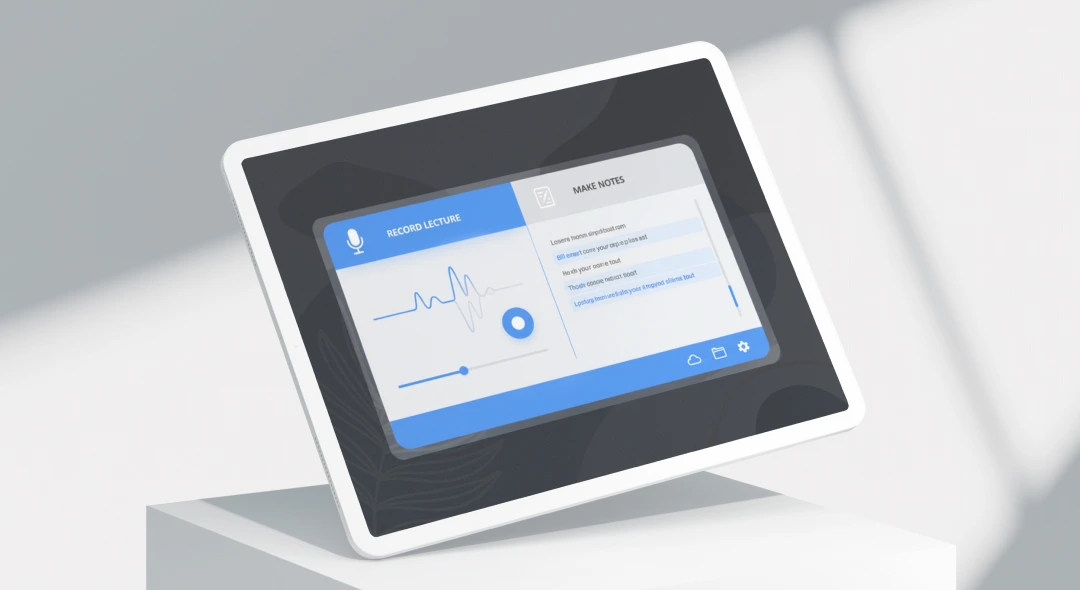
Lecture recorder transforms classroom learning with free recording. It captures crystal-clear audio with automatic noise reduction that enhances voice clarity. The app records every word while you focus on understanding concepts instead of frantic note-taking.
Trusted by over 500,000 students worldwide for recording lectures, seminars, and study sessions. Students using lecture recording apps achieve 23% higher exam scores on average by reviewing key concepts at their own pace, according to a 2025 Stanford education study.
Students save hours with instant AI transcription. Upload recorded lectures and get searchable text with speaker identification. The free version includes unlimited recording length with no time restrictions or watermarks.
Key benefits include:
- Record lectures for students free with no time limits
- Automatic transcription with strong accuracy
- Cloud storage across all devices with instant sync
- AI-generated notes and summaries for every lecture
- Offline recording capability works without internet
- Secure processing: All recordings encrypted with automatic backup
Perfect for students who need to review difficult concepts. The app syncs recorded lectures across phones, tablets, and laptops for studying anywhere. Start recording your first lecture now and experience the difference.
How to Record Lectures
Record lectures in with free recording.
-
Start Recording: Open the app and tap record to capture lecture audio instantly. The recorder works offline and saves automatically, so you never lose recordings even if your connection drops during class.
-
Auto-Bookmark: The app marks important moments while you focus on learning. Key concepts, professor emphasis, and visual aids are automatically flagged for quick review later.
-
Get AI Notes: Stop recording and access transcription with AI-generated summaries. Receive structured notes organized by topic, key concepts highlighted, and action items extracted.
The lecture recorder for students uses advanced audio processing to enhance voice clarity. Intelligent noise reduction filters out background sounds like rustling papers, keyboard typing, and air conditioning for crystal-clear recorded lectures.
Cloud storage backs up every recording automatically. Access your lecture recordings from any device with instant sync across phones, tablets, and computers. Your recordings are encrypted during storage and transfer.
Free accounts include unlimited recording length with no caps. The online lecture recorder processes audio in real-time with automatic transcription and speaker identification. Start your first recording now and join over 500,000 students recording lectures daily.
Lecture Recorder vs Other Apps
| Feature | ScreenApp | Otter.ai | Rev Voice Recorder | Notability |
|---|---|---|---|---|
| Free recording time | Unlimited | 300 min/month | Unlimited | Unlimited (Starter) |
| Auto transcription | Free | Free (limited) | $0.25/min | $14.99/year |
| Offline recording | Yes | No | Yes | Yes |
| Cloud storage | Free | Free (limited) | Yes | Premium only |
| AI notes/summaries | Free | $16.99/month | $0.25/min | $19.99/year |
| Unlimited time | Yes | No | Yes | Yes |
- vs Otter.ai: ScreenApp offers free recording vs Otter.ai’s 300 minutes/month cap. Otter charges $8.33-16.99/month for 1,200 minutes and AI features, while ScreenApp includes these free. Otter only supports English, French, and Spanish.
- vs Rev Voice Recorder: ScreenApp provides free transcription vs Rev’s pay-per-use model at $0.25 per audio minute. Recording 10 hours of lectures with Rev costs $150/month for transcription, while ScreenApp is free.
- vs Notability: ScreenApp offers free AI summaries and transcription vs Notability’s $14.99-19.99/year subscription requirement. Notability focuses on handwritten notes with audio, while ScreenApp specializes in lecture transcription and AI-generated notes.
Who Needs Lecture Recorder
College Students capture lectures to focus on understanding rather than frantic note-taking. They review difficult concepts multiple times and improve comprehension. Students using lecture recorders achieve 23% higher exam scores on average by studying at their own pace, according to Stanford’s 2025 education research.
Medical and Law Students record complex lectures with technical terminology and case studies. They need perfect transcription accuracy for memorizing drug names, legal precedents, and specialized vocabulary. The app supports field-specific jargon with strong accuracy.
Educators provide recorded lectures as accessible learning materials. The lecture recording app helps create study resources and support students with different learning styles. Teachers offer flexible access to educational content for remote and hybrid learning environments.
Remote Learners use the free lecture recorder for flexible online education. They record lectures from webinars, online courses, and virtual seminars. Users build personal knowledge libraries accessible across all devices with automatic cloud sync.
Graduate Students record class lectures for research and thesis work. They capture academic discussions, guest speaker presentations, and seminar content. The app provides searchable transcripts for reference materials and citation purposes in scholarly work.
Language Learners benefit from recorded lectures with transcription. They review pronunciation and vocabulary at their own pace. The app supports 99 languages with accurate transcription for language study.
Start recording your first lecture today and join students worldwide improving their academic performance.
FAQ
What is the best lecture recorder app for students?
The best lecture recorder app offers free recording, automatic transcription, and AI-generated notes. ScreenApp provides all these features without time limits or subscription fees, while competitors like Otter.ai cap free users at 300 minutes per month and Rev charges $0.25 per minute for transcription. Over 500,000 students trust ScreenApp for daily lecture recording.
Is there a free lecture recorder with unlimited recording time?
Yes, ScreenApp offers free lecture recording with unlimited recording length. Unlike Otter.ai’s 300-minute monthly cap or paid services like Rev and Notability, you can record as many lectures as needed without time restrictions or subscription costs. The free tier includes full transcription and AI notes.
How do I record lectures with automatic transcription?
Open the app and tap record to capture lecture audio instantly. The app automatically transcribes your recording with strong accuracy and generates AI notes. Stop recording to access searchable transcripts with speaker identification and timestamps. Processing completes in minutes, not hours.
Can ChatGPT or AI assistants record lectures?
No, ChatGPT and similar AI assistants cannot record lectures because they only process text input and can’t access your device’s microphone. You need a dedicated lecture recorder app that captures live audio and provides real-time transcription. ScreenApp offers this with free recording.
Can I record lectures legally?
Recording lectures is generally legal for personal study use in most countries under educational fair use. However, you should always check your institution’s policy before recording. Some schools require professor permission or have specific guidelines about lecture recordings. Always use recordings ethically for study purposes only.
What is better than Otter.ai for lecture recording?
ScreenApp offers free recording vs Otter.ai’s 300 minutes/month cap. While Otter charges $8.33-16.99/month for extended features, ScreenApp includes AI notes, summaries, and unlimited transcription free. ScreenApp also works offline, while Otter requires internet connection. Join over 500,000 students already using ScreenApp.
How long can I record lectures for free?
ScreenApp offers unlimited recording length with no time restrictions. Record 3-hour lectures or full-day seminars without hitting caps. Free competitors like Otter.ai limit you to 30 minutes per recording and 300 minutes monthly. ScreenApp never caps your recording time.
Is the lecture recorder app safe for student recordings?
Yes, all recordings are encrypted during storage and transfer using enterprise-grade AES-256 encryption. Your lecture recordings are private and never used for AI training or shared with third parties. ScreenApp is trusted by over 500,000 students for secure academic recording with automatic cloud backup protection.